By Raza Digital Agency · SEO Guide · 8 main topics
Introduction
Have you ever wondered why some websites show up at the top of Google search results while others stay hidden? The answer often comes down to on-page SEO.
On-page SEO is about making your web pages better for search engines and easier for people to use. It involves improving things like page titles, headings, images, URLs, content and how visitors move around your site. When done right search engines can understand your pages clearly and users can find what they are looking for quickly.
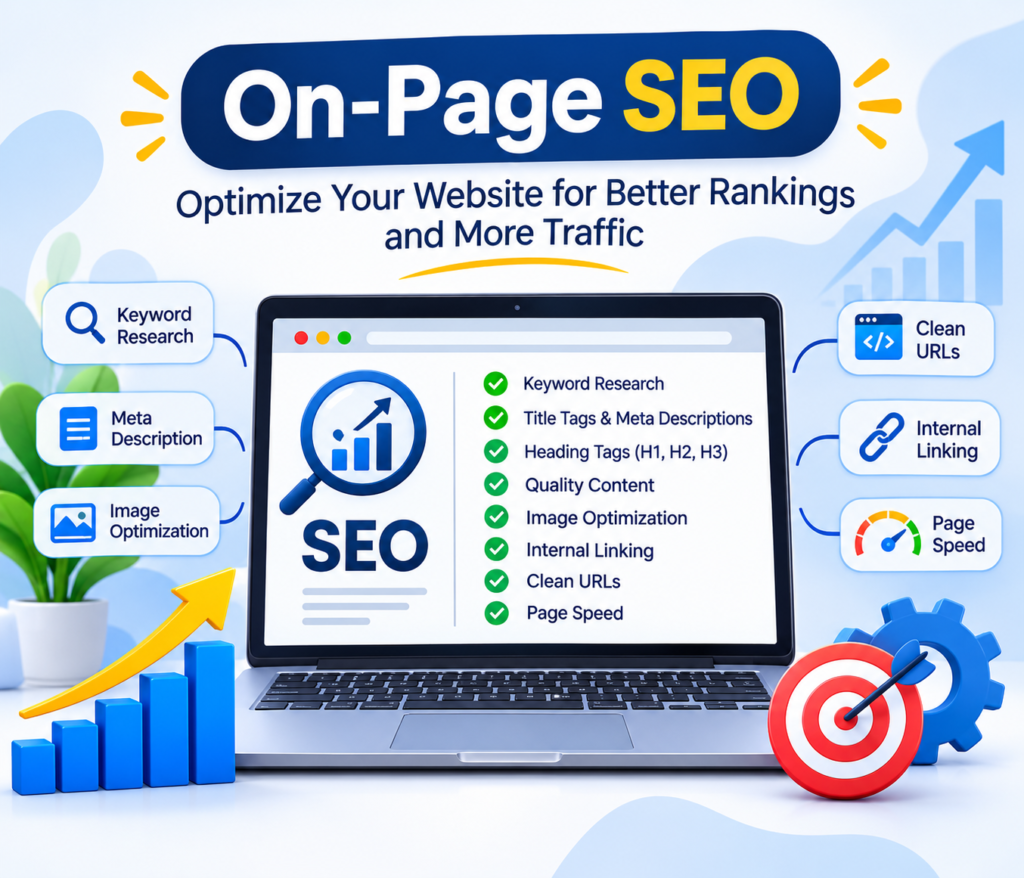
No matter if you run a business website a blog, an online store or a marketing agency site on-page SEO plays a role in your success. It helps your site get noticed in search results and attract the visitors.
In this guide you will learn eight on-page SEO techniques. You will see examples and visual explanations to help you understand how to apply them in your own work.
- What Is On-Page SEO?
On-page SEO means tweaking each page on your website to make it easier for search engines to read and for people to use.
It covers things like page titles, meta descriptions, headings, blog posts, images, internal links and how your site looks and feels to visitors.
For example if you write a blog post about SEO services you should use an strong title. Your content should be helpful and easy to read. You should include keywords that match what people are searching for. Add high-quality images with file names and alt text.. Link to other useful pages on your site. These small steps can make a difference, in how your page ranks.
Benefits of on-page SEO
- Helps search engines understand your page.
- Improves the relevance of your content for search queries.
- Makes your website easier to navigate.
- Can improve organic visibility and attract relevant visitors.
- Supports a better user experience.
Remember, on-page SEO can improve your chances of ranking, but it cannot guarantee a particular position on Google.
2. Keyword Research and Placement
Keyword research is the process of identifying the words and phrases people use when searching for information, products, or services online.
Before writing a blog, understand what your target audience wants to learn. Then choose a primary keyword and related terms that match the topic and search intent.
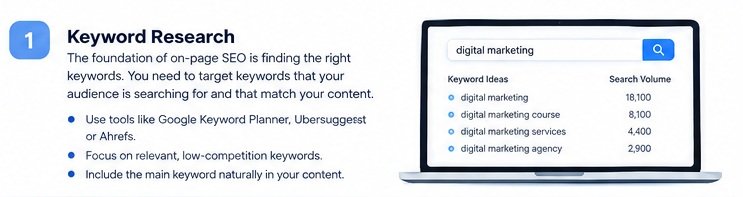
For example, if your blog is about on-page SEO, related keywords might include:
- On-page SEO techniques
- On-page SEO checklist
- How to optimize a website
- On-page SEO factors
- SEO content optimization
3. Use Proper Heading Tags
Heading tags organize your content into a clear hierarchy. They make long articles easier to scan and help readers locate relevant information.
The main heading is usually H1, while H2 headings divide the article into major sections and H3 headings introduce subsections.
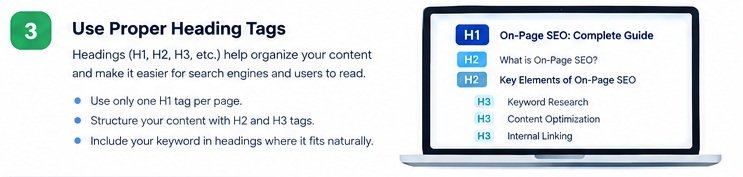
Example of a blog heading structure
– H1: On-Page SEO: A Complete Guide
- H2: What Is On-Page SEO?
- H2: Keyword Research and Placement
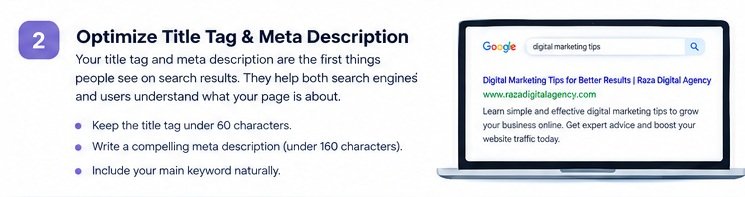
- H2: Optimize Title Tags and Meta Descriptions
- H2: Image Optimization
- H3: Image File Names
- H3: Alt Text and Compression
Heading optimization tips
- Make your main heading clear and relevant.
- Use H2 and H3 headings to create logical sections.
- Include keywords in headings when they fit naturally.
- Avoid using headings only to change font size or appearance.
- Make sure each heading accurately describes the content below it.
A logical heading structure improves readability. You do not need to force a keyword into every heading.
4. Create High-Quality, Helpful Content
Content is one of the most important parts of an effective on-page SEO strategy. Your page should provide useful information that answers the questions your audience is asking.
For example, an article about on-page SEO should explain the techniques, show examples, offer practical steps, and help readers apply what they learn.
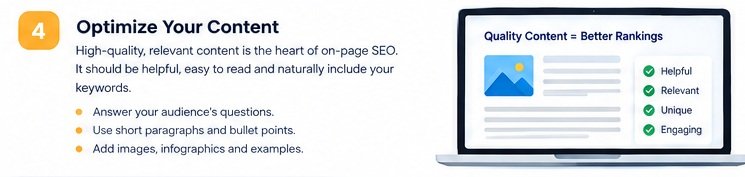
How to optimize your content
- Answer the reader’s main question early.
- Use clear, simple language and short paragraphs.
- Add relevant examples, statistics, or original insights when available.
- Use bullet points and tables where they improve understanding.
- Keep information accurate and update outdated details.
- Avoid copying content from other websites.
- Make sure the article provides genuine value beyond repeating keywords.
For a digital marketing website, you could also link relevant blog posts to your SEO, Google Ads, and web development service pages where those links genuinely help readers.
Google’s guidance emphasizes helpful, reliable, people-first content rather than content created primarily to manipulate rankings.
5. Optimize Images for SEO
Images make blog posts more engaging and help explain complicated topics. However, oversized or poorly described images can affect usability and page performance.
For this article, use clear laptop-screen graphics to explain the eight main SEO techniques.
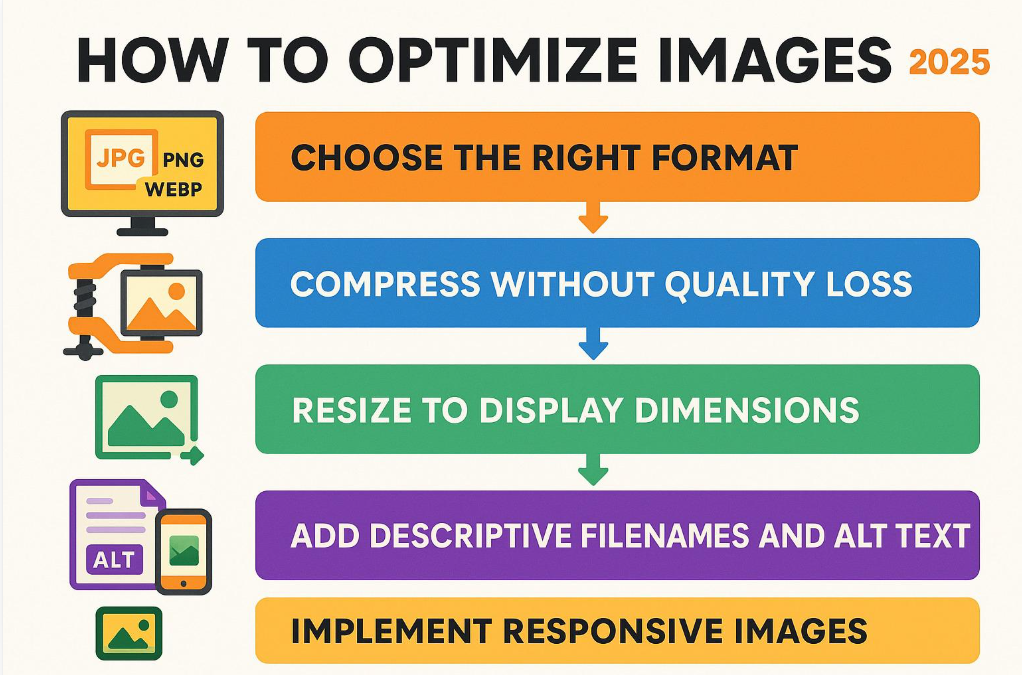
Image SEO best practices
- Use descriptive file names: Prefer
on-page-seo-checklist.webpoverIMG1234.jpg. - Write meaningful alt text: Describe the actual image for people who use screen readers and for situations where the image cannot load.
- Compress images: Reduce file size without noticeably reducing visual quality.
- Choose suitable formats: WebP or AVIF can often provide smaller files than traditional formats.
- Use appropriate dimensions: Avoid uploading huge images when a smaller version is sufficient.
- Lazy-load below-the-fold images: This can reduce unnecessary loading at the start of a page.
Example alt text for a graphic in this article:
Laptop screen displaying an on-page SEO optimization checklist
Alt text should describe the image accurately. Do not stuff it with unrelated keywords.
WordPress tip: Before uploading an image to your Elementor website, prepare the file name, alt text, image dimensions, and compressed version. Add captions only when they provide useful context.
6. Build Internal Links and Optimize URLs
Internal links connect one page on your website to another page on the same website. They help visitors discover related information and help search engines find and understand your site’s pages.
For example, in an on-page SEO blog, you could link to another article about technical SEO or to your SEO services page.
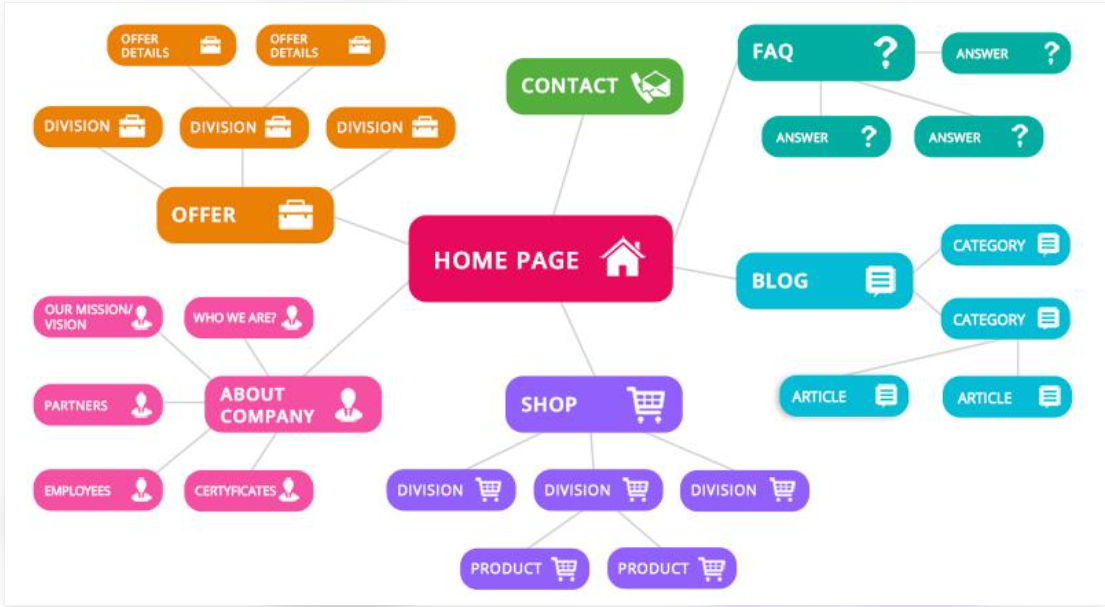
Internal linking best practices
- Link to related pages when the connection is useful.
- Use descriptive anchor text that explains the destination.
- Link to important pages where appropriate.
- Check for broken internal links.
- Avoid adding links simply to increase their number.
URL optimization
A clean URL helps users understand what a page is about.
| Better URL | Less descriptive URL |
|---|---|
/on-page-seo-guide/ | /page?id=8472 |
/seo-services/ | /services/page123/ |
Keep URLs readable, descriptive, and consistent. Include the main topic where appropriate, and avoid unnecessary words or complicated parameters.
You generally do not need to change an existing URL that already works well. If you do change one, set up a suitable permanent redirect and update relevant internal links.
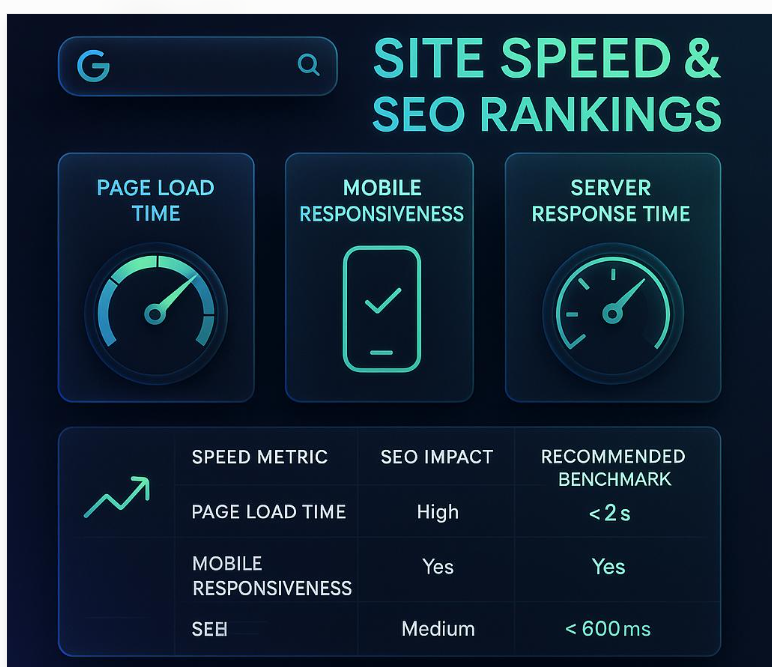
8. Improve Page Speed and Mobile Friendliness
Visitors expect websites to load smoothly and work well on different devices. A slow or difficult-to-use website can frustrate visitors and make it harder for them to complete important actions.
Page experience is an important consideration, although speed alone does not guarantee higher rankings.